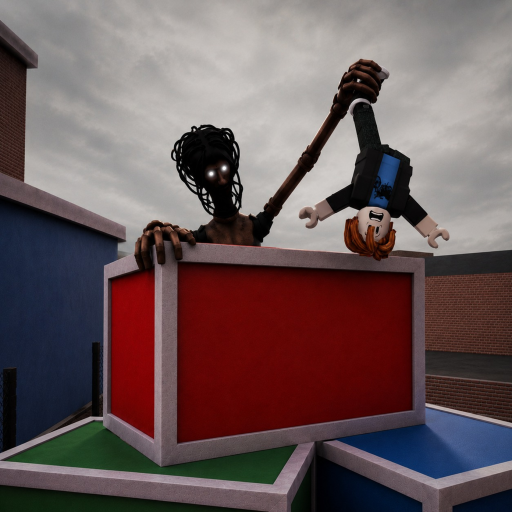
Normal attackCommunity reported
Reported; use visible action
Exact button and range need current HUD evidence.
Use this page when a Locust action is missing or unresponsive. Current PC reports mention Q for a special action and Left Control for sprint, but no complete developer control map exists. Confirm the role transition, follow the live HUD, close menu focus, and never translate a reported PC key into a mobile or console answer.
Each row separates a current answer from the evidence that supports it.
Exact button and range need current HUD evidence.
Not an official or cross-platform binding.
Mobile and console equivalents are not confirmed.
Damage, range, cooldown, and exact effects are not written as facts.
Wait for the role screen and Locust HUD. A purchase, selection, or lobby state is not the same as round assignment.
Locate the visible attack action and test it in open space. Do not freeze an assumed range or hitbox from one round.
Use the current label or icon, watch the actual meter or cooldown, and note whether movement changes before committing to a chase.
Community coverage reports Q on PC. Verify the current prompt and observe what the action actually changes before naming its effect.
Record the role, platform, visible buttons, and date. Mobile and console guidance needs their own screenshots rather than translated PC keys.
The exact experience and Locust identity are confirmed, but the public description does not list an ability kit.
A normal attack, Q special action, and Left Control sprint have been reported for PC play in the current period.
Exact damage, range, cooldown, charges, effects, mobile buttons, controller mappings, and whether every server uses the same build.
Check the full Locust Controls Troubleshooting: PC, Mobile & Console state before rejoining, repurchasing, or turning one server into a permanent rule.
| Problem | Check | Next action |
|---|---|---|
| Attack does nothing | Role state, target distance, cooldown, round start, current action label, and chat/menu focus | Test once in open space, then record the HUD rather than increasing an assumed range. |
| Q does nothing on PC | Visible special-action label, cooldown state, keyboard focus, and whether this server shows a different binding | Follow the current HUD; treat Q as a dated community report, not a mandatory key. |
| Mobile ability button is absent | Completed role transition, orientation, overlays, safe-area clipping, and whether attack loaded | Capture the full screen, rejoin a fresh server once, and report the platform plus role state. |
Q is community-reported for some current PC play. Use the label shown in your HUD because the binding is not developer-published or confirmed across platforms.
Left Control is community-reported on PC. Watch the live prompt or meter and do not assume the same input on mobile or console.
Their product names and prices are observed, but their ability kits are not verified well enough to merge into this control map.
Sources for Locust Controls Troubleshooting: PC, Mobile & Console are labelled by what each record can actually prove.
Used for this guide: The canonical exact-Place link currently redirects to Title Unavailable. The accessible August listing remains historical identity and premise evidence, not proof of a playable September build.
Used for this guide: Useful for dated interface and gameplay observations; it does not turn an observed control, route, or value into an official permanent rule.
Official identity plus dated community gameplay; values remain unverified.