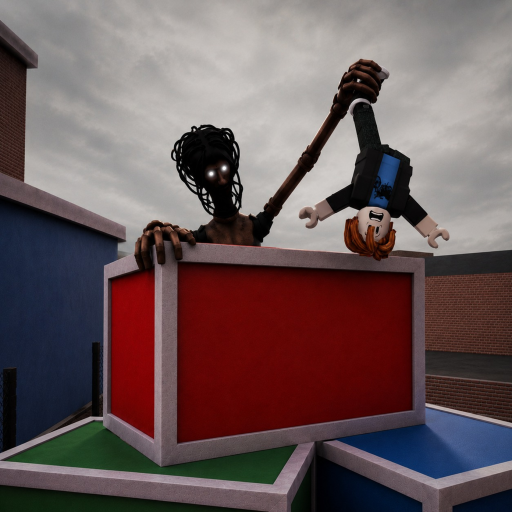
MM2 of The Locust Bugs: Mobile Attack, Stuck Locust and Doors
The five named failures remain dated community leads from the accessible August build. The old listing warned players to expect bugs, but the description snapshot reviewed Sep 6 no longer shows that PRE-ALPHA line and the canonical Place was unavailable Sep 12. The wording change does not prove that any bug was fixed.
The August “expect bugs” wording is historical. The five named failures are community-reported leads and were not independently reproduced by this archive on two servers; none is presented as current after Sep 4.
Title Unavailable is not an in-round bug
At the Sep 12, 2026 PDT check, the canonical Roblox web listing still redirected to Title Unavailable. Roblox Status showed all systems operational. This does not establish whether every player is unable to join. RoVitals separately lists a Sep 11 metadata update and recent player activity. A successful in-game join has not been verified by this archive.
| State | Scope | Correct response |
|---|---|---|
| Title Unavailable on the canonical Place | Experience access | Verify Place 113385977463481, check Roblox Status, and use the current status timeline. |
| Missing role or attack button | Last accessible server or interface | Use the platform and HUD checks below. |
| Door, morph, or Revive failure | Last accessible round mechanic | Record the platform, trigger, result, and second-server outcome. |
Start with the exact failure—not a generic restart
Platform, trigger, reproduction state, and workaround stay visible together. A workaround is temporary and is not an official fix.
| Bug | Platform | First seen | Last reproduced | Trigger | Temporary workaround | Confidence |
|---|---|---|---|---|---|---|
| Locust attack is missing or does not fire | Mobile reported; other platforms open | Aug 2026 public reports | Not independently reproduced | Become the Locust, wait for the morph, then press the visible attack action. | Wait for the role transition, close chat or menu overlays, test once in open space, then try one fresh server. | Community reportedRepeated exact-game community lead; no creator issue note or controlled two-server reproduction is public. |
| Locust morph or role transition stays stuck | Platform not established | Aug 2026 public reports | Not independently reproduced | The player is assigned the Locust while the character and hostile HUD are loading. | Wait for the transition once, capture the full character and HUD state, then rejoin one fresh server if it never completes. | Community reportedCommunity-reported behavior; the exact trigger and affected client versions remain open. |
| Door close control does nothing | PC reported; cross-platform open | Aug 2026 public reports | Not independently reproduced | Use a visible door-close interaction during a live round. | Do not rely on that door as the only sight break; move to a route with a second exit and record the map landmark. | Community reportedDated public recording and competitor lead; no permanent affected-door list is verified. |
| Revive returns the player in an unexpected state | Platform not established | Aug 2026 public reports | Not independently reproduced | Use the Revive purchase or prompt after elimination, then return to the active round. | Do not purchase again immediately; capture the receipt, return location, role, items, timer, and result screen. | Community reportedCommunity lead only. The R$39 listing is observed, but return state and retained progress are not catalog facts. |
| Role or item buttons do not appear | Mobile reported; all platforms possible | Aug 2026 public reports | Not independently reproduced | A role transition or item selection completes without the expected action appearing on the HUD. | Close overlays, confirm the role or selected item, wait for the transition, capture the full HUD, then test one fresh server. | Community reportedExact action, role, platform, and server age are required before separate reports can be treated as the same bug. |
Use Roblox-wide checks only after the exact failure is recorded
Stop when a comparison explains the behavior. Do not install a tool or make a second purchase to test an unclear state.
- 01
Rule out a Roblox-wide incident
Check Roblox Status. If joins, matchmaking, or assets fail across many experiences, wait for platform recovery before naming an exact-game bug.
Open Roblox Status - 02
Capture the exact round state
Record the platform, role, map landmark, visible HUD, server age, trigger, and result. A missing attack during morph is different from an attack that fires but does not connect.
- 03
Try one clean client and one fresh server
Close menus and chat focus, restart the normal Roblox client, and retry once in a fresh server. This comparison is diagnostic evidence, not a guaranteed repair.
- 04
Report the failed and successful states
If behavior changes, note exactly what changed. If it repeats, keep both server results and a short recording so separate reports can be compared.
Do not trade account security for a guessed repair.
- Do not install an executor, script, key system, or unofficial repair download.
- Do not share a password, cookie, recovery code, or account access.
- Do not repeat a Robux purchase because the first return state is unclear.
Current bug questions
Why can’t I attack as the Locust on mobile?
Current public reports flag a missing or unresponsive mobile attack action, but there is no creator-published cause. Wait for the morph, close overlays, test the visible action once in open space, and try one fresh server. Capture the full HUD if it repeats.
Why is the Locust morph stuck?
The exact trigger is not independently reproduced. Wait for the role transition once, record the character and HUD state, and rejoin one fresh server only if the morph never completes.
Why won’t a door close?
A non-working close interaction is a current community lead, not a verified rule for every door. Do not depend on that door as your only sight break; move toward a route with another exit.
Is Revive broken?
The R$39 listing is observed, but the return location, role, items, progress, and limits are not catalog facts. If the return state is wrong, do not purchase again immediately; capture the receipt and complete round state.
Should I install a script to fix the game?
No. Use the normal Roblox client and canonical game page. Avoid executors, downloads, credential requests, or unofficial tools that claim to repair an unavailable experience.
Trace what each source can prove
Historical August wording, dated gameplay context, current Place access, and third-party bug leads are not treated as the same evidence level.
Canonical Roblox experience
Currently redirects to Title Unavailable. The accessible August listing carried the historical PRE-ALPHA warning; it did not publish this bug list.
Current exact-game full-round recording
Used for dated build and HUD context. One recording cannot prove every platform, trigger, or workaround.
Community gameplay and bug lead
Used as a discovery lead for exact-game failures. Every row remains unverified until a reproducible current-build test exists.